.jpg?width=6782&height=2762&name=primary_logo%20(1).jpg)
1. Select 'Users' from the top navigation menu.
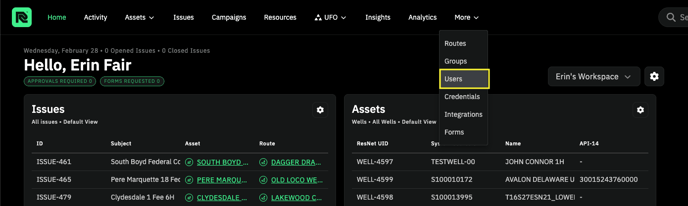
2. Click 'Invite Users' button. 
3. Fill in all email address of users and Click Invite User.
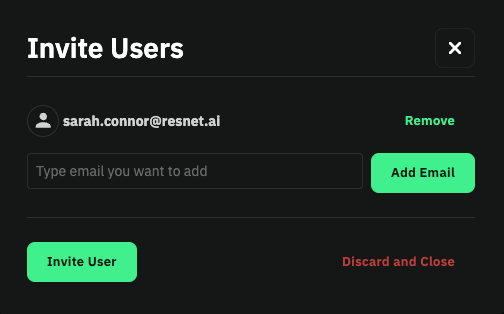
4. The Users will receive and email with their invitation that has a link. This link will take them directly to the account creation wizard.